


Camera Wedding
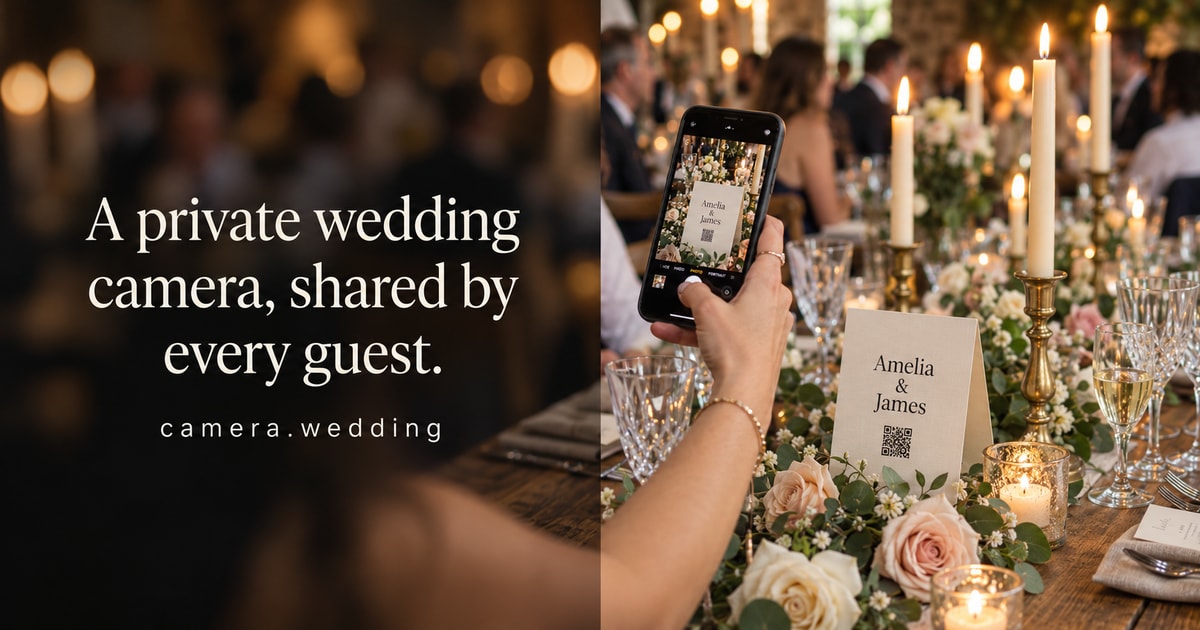
camera.wedding collects wedding guest photos through one QR code into a private album; guests upload from their phone's browser with no app or account.
PaidWeb Verified
About Camera Wedding
Couples add their names and date to create an album and QR code, then print table cards or share the link. Guests scan, enter their name and choose photos in the browser; Premium also accepts videos, within plan storage limits.
Hosts can pause uploads, turn guest browsing of other uploads on or off and hold new uploads for approval. Photos arrive in an unlisted gallery in original quality and can be downloaded during the hosting period. A public demo shows both the guest and couple views.
Key features of Camera Wedding
- One QR code
- Printable table cards and signs.
- No guest app
- Upload in the phone browser with just a name.
- Original quality
- Download uploaded originals.
- Host controls
- Pause uploads, approve uploads, toggle guest browsing.
- Video uploads
- Available on Premium.
What Camera Wedding is used for
- Collecting guest photos at weddings
- Sharing a private event album
Who it suits
- Couples planning a wedding
- Wedding planners
Camera Wedding pros and cons
Strengths
- No app or login for guests
- Moderation controls
Limitations
- Videos need Premium
- Storage and hosting limits apply
Editorial summary based on the product's official information.
Alternatives to Camera Wedding
The closest matches by category, features and platforms.
No alternatives have been mapped for Camera Wedding yet.
Frequently asked questions about Camera Wedding
Do guests need an app?
No, they upload in their phone's browser.
Can guests upload videos?
Yes, on the Premium plan.
Can I approve photos first?
Yes, new uploads can be held for approval.
Is Camera Wedding free?
No, Camera Wedding is a paid product (pricing: Paid, One-time purchase).
What platforms does Camera Wedding support?
Camera Wedding is available on Web.
What kind of software is Camera Wedding?
Camera Wedding is listed under Photo Editing. camera.wedding collects wedding guest photos through one QR code into a private album; guests upload from their phone's browser with no app or account.
Reviews
Used Camera Wedding? Share what worked and what didn't to help others decide.
Similar software
 PaidWindows, macOS, iPadOS +1Paid
Adobe PhotoshopPhoto Editing
Adobe Photoshop is a professional image editor for creating, retouching, and compositing photos and graphics, including custom scenes from multiple images.
 Open sourceWindows, macOS, LinuxOpen source
GIMPPhoto Editing
GIMP is a free, open-source image editor for Windows, macOS, and Linux, offering photo retouching, graphic design, illustration, and scriptable automation.
 Free planWebFree plan
PhotopeaPhoto Editing
Free browser-based photo editor with layers, masks and PSD support that also opens RAW camera files, vector graphics and more than 40 other formats.
 Open sourceWindows, macOS, Linux +1Open source
KritaGraphic Design
Krita is a free, open-source digital painting and 2D animation app with pro brushes, layers, and color tools across Windows, macOS, Linux, and Android.
 Open sourceWindows, macOS, LinuxOpen source
darktablePhoto Editing
darktable is a free, open-source photography workflow app and RAW developer for managing, editing and exporting digital negatives.
 FreeWebFree
Image Size FinderPhoto Editing
Free image size finder: pixels, file size, aspect ratio, DPI and print size—files stay on your device. Drop photos or paste a link/page; get width×height, KB/MB, DPI, print size and upload-limit c…